Teladoc Health
- 4.4
- Rating
- 5.00M
- Installs
- Free
- Price

 Analysis by App-foxy
When I need medical guidance but do not want to spend half a day arranging a routine appointment, Teladoc Health is the kind of app I would keep ready on my phone. It connects the idea of an online doctor visit with ongoing condition management, so it is more useful than a simple symptom article and less demanding than visiting a clinic for every minor concern. My overall impression is positive, although it works best when I treat it as a convenient access point to care rather than a complete replacement for every healthcare service.
Teladoc, Inc. develops this free medical app, which is suitable for Everyone and has been available since September 30, 2013. It has grown into a familiar option, with more than five million installs and an average rating of 4.4 from roughly 76 thousand ratings. Those figures suggest a well-established service, but they should not be mistaken for a promise that every consultation will feel identical. Healthcare needs vary, and the value of an online appointment depends heavily on the problem I am trying to solve.
How I would build a dependable Teladoc routine
I’d make Teladoc part of a simple routine before a health concern crops up: keep my account details current, know where to find my medication list, and have a few notes ready about recurring symptoms. That preparation makes it easier to use a consultation for a clear decision rather than trying to reconstruct everything under pressure. I’d also decide in advance which changes mean I should seek in-person care instead.
You May Also Like

 AccuWeather: Weather Radar
AccuWeather Review: A Quick, Clear Forecast for Everyday Decisions
For everyday plans, the best forecast is the one you can understand quickly. AccuWeather makes rain timing, radar, and local conditions easy to act on, with a few trade-offs.

 Hill Climb Racing
Why Hill Climb Racing Still Turns Crashes Into One More Run
A tiny car, a bumpy hill and one more upgrade: Hill Climb Racing keeps resurfacing because its simple chaos makes every near-miss feel personal.

 AliExpress - Shopping App
AliExpress Makes Global Shopping Feel Personal, but Shoppers Bear the Risk
AliExpress turns a global marketplace into a pocket-sized discovery engine. Its reach is useful, its shopping loop compelling, and its trade-offs easy to miss.

 Lords Mobile: Kingdom Wars
Lords Mobile Is a Kingdom-Building Routine, Not a Quick Match
A case-by-case verdict on the building, battles, device demands, and social commitments that make Lords Mobile rewarding for some players and exhausting for others.

 PDF Scanner app - TapScanner
TapScanner Makes Paperwork Easier to Capture, Check, and Share
TapScanner makes scanning with a phone feel less like a rescue operation and more like a dependable step in getting work done. Its capture tools are useful, though not flawless.

 Block Blast!
 Shows How Much a Puzzle Game Can Leave Out
A quiet grid game shows why puzzle players increasingly value instant clarity, repeatable skill and low-pressure play—and where the genre still needs to catch up.
More From Our News Desk
View All News


The baseline workflow is about preparation, not just tapping “visit”
The easiest mistake is opening the app only when I am already uncomfortable and expecting the consultation to solve everything instantly. A better workflow starts earlier. I would install the current version, 5.22.1, on a supported device running at least OS 9, create or review my account information, and make sure I can describe the issue clearly. Before contacting a doctor, I would note when the symptoms began, what makes them better or worse, any medicines I already use, and what I am hoping to learn from the visit.
That preparation matters because an online clinician has less physical information than a doctor in a room. A concise timeline can replace several rounds of vague questioning. Instead of saying that I “feel strange,” I would explain whether the problem is new or recurring, how quickly it changed, and whether it affects sleep, eating, work, or movement. This makes the appointment more focused and helps me recognize when the app is not the appropriate route.
For an everyday example, imagine I develop a mild but persistent issue during a busy workweek. I could use Teladoc Health from home rather than taking time to travel to a clinic, prepare a short symptom summary, and keep my current medication information nearby. If the clinician decides that the concern needs an in-person examination, I have still gained useful direction instead of spending the same time guessing through search results.
The app’s real strength is this reduction in friction. It is particularly appealing for people who live far from a convenient clinic, have difficulty taking time away from work, or want a first conversation before deciding what level of care makes sense. Parents and caregivers may also appreciate having a structured way to seek guidance when the situation is worrying but does not immediately appear life-threatening.
At the same time, I would not use an online consultation for a severe emergency, sudden major symptoms, or a situation where a physical examination is obviously essential. Teladoc Health can help with access and direction, but a phone screen cannot replace emergency services, hands-on assessment, imaging, laboratory work, or procedures. Recognizing that boundary is part of using the app well.
Settings worth checking before the first appointment
Experienced use begins with reviewing the account and device setup before a health issue becomes urgent. I would check that my personal details are current, that notifications are allowed when I want appointment-related updates, and that the app has the practical access it needs for the type of visit I choose. I would also test the phone’s camera, microphone, speaker, and internet connection rather than discovering a problem when the consultation is starting.
This is not glamorous advice, but it prevents avoidable delays. A quiet, well-lit place is more useful than a perfect background. If I need to show a visible symptom, good lighting can make the conversation more productive. If privacy is important, I would use headphones and choose a room where other people cannot overhear sensitive information. These small habits are more valuable than repeatedly changing settings without a specific reason.
I would also keep the app updated when practical. The current version is 5.22.1, and staying current generally gives me the best chance of avoiding compatibility problems on a supported device. That does not guarantee a flawless session, so I would still have a backup plan: know how to reconnect, keep the phone charged, and avoid starting a visit while moving between unreliable networks.
One useful trade-off is deciding when a video conversation is worth the extra setup. Video can make it easier to communicate visually, while a less demanding interaction may be preferable when the concern is mainly about discussing symptoms or next steps. I would choose the format that matches the problem and my surroundings rather than assuming the most feature-rich option is always the best one.
Another setting-related habit is organizing information before the visit. I would write down the names and doses of medicines instead of relying on memory, especially if I take several products. I would also have relevant past diagnoses or recent instructions available. The app cannot automatically turn incomplete information into a complete medical history, so the reliability of the consultation partly depends on what I bring to it.
Faster patterns that save time without making care careless
The fastest users are not necessarily the people who tap through the app quickest. They are the people who repeat a simple preparation pattern. I would keep a short personal template with four prompts: what changed, when it changed, what I tried, and what question I need answered. This is especially helpful for recurring concerns, because it lets me compare the current episode with previous ones without exaggerating similarities.
I would also separate urgent questions from background details. At the beginning of a consultation, I would state the main concern in one sentence, then explain the timeline and supporting information. If I have several unrelated topics, I would not assume one appointment can handle all of them equally well. Grouping everything together may feel efficient, but it can leave the most important issue underexplored.
For condition management, repetition can become an advantage. I would use the app as part of a broader routine: record relevant changes between visits, follow the clinician’s instructions, and return with specific observations rather than a general impression. The app is more useful when it supports a continuing conversation than when I treat every visit as an isolated search for reassurance.
A practical shortcut is preparing the environment before opening the consultation flow. I would find my insurance or payment-related information if it is relevant to my account, locate my medication list, and move somewhere private. Even when the service itself is straightforward, these surrounding tasks can be the difference between a calm appointment and a rushed one.
I would not confuse speed with a diagnosis. A quick online interaction can be excellent for deciding what to do next, but it may not provide the certainty I want for a complicated or persistent condition. If symptoms keep returning, change unexpectedly, or fail to improve, I would use the app’s guidance as a reason to escalate care rather than repeatedly requesting the same kind of remote advice.
Where the advanced workflow reaches its limits
Teladoc Health is strongest when the problem can be discussed clearly and assessed remotely. It is less suitable when the clinician needs to touch, listen with equipment, examine a wound closely, perform a test, or observe something over time in person. This is the central limitation, and no clever routine can remove it.
There is also a human limitation: online care can feel less personal than seeing a familiar doctor who already knows my history. A remote clinician may have to spend part of the appointment rebuilding context. Good preparation reduces that gap, but it does not eliminate it. Someone managing a complex condition may prefer an established local care team for the main relationship and use Teladoc Health for convenience when appropriate.
I would also be cautious about using the app as my only source of medical information. Search engines can provide background reading, local clinics can offer physical evaluation, pharmacists can answer certain medicine questions, and emergency services are designed for immediate danger. Teladoc Health sits between these options: it offers professional interaction without the full resources of a traditional clinic.
Privacy and comfort deserve practical attention too. I would avoid discussing sensitive matters in a public place, double-check that I am speaking to the intended service, and remember that a digital consultation still involves personal health information. Convenience should not lead me to use the app casually around other people or on a device I do not control.
Who should skip it? I would look elsewhere if I needed emergency treatment, a physical procedure, complex testing, or a long-term relationship with one local specialist. I would also hesitate if my internet connection, device, or surroundings made a reliable consultation difficult. In those cases, a clinic, urgent care center, pharmacist, or emergency service may be a better fit.
Who is it best for? I see the clearest value for someone seeking a convenient first medical conversation, guidance about a non-emergency concern, or support that fits around work and home responsibilities. It can also suit people who are comfortable explaining symptoms and following up when remote care points toward in-person treatment.
My mastery verdict after using it as a tool, not a shortcut
The most important skill with Teladoc Health is knowing what question the app can answer. If I need help deciding the next sensible step, an online doctor conversation can be genuinely useful. If I need a physical examination or urgent intervention, the app should be a bridge to appropriate care, not the destination.
Compared with searching symptoms online, it offers a more direct path to professional conversation. Compared with a traditional appointment, it can reduce travel and scheduling friction. Compared with a local primary-care relationship, it may provide less continuity and fewer examination options. That comparison explains both its appeal and its limits better than simply calling it convenient.
I appreciate that the app is free to install and carries a medical classification with an Everyone age rating, making it approachable for a wide range of users. Its long availability and substantial user base make it feel like a mature product rather than an experimental tool. Still, I would read the practical details of any consultation carefully before relying on it, because the best experience depends on the service option, my needs, and the quality of the information I provide.
My recommendation is straightforward: keep Teladoc Health available if remote medical guidance fits your situation, but prepare before you need it. Review your profile, maintain a usable medication and symptom summary, check your phone and connection, and decide in advance which warning signs mean you should seek in-person or emergency care. Those habits make the app more effective than simply opening it in a moment of panic.
In the end, I see Teladoc Health as a practical access tool rather than a replacement for the whole healthcare system. Used thoughtfully, it can turn an inconvenient first step into a focused conversation and help me choose what to do next. Used for problems that require hands-on care, it becomes the wrong tool. That distinction is why I would recommend it to the right person, while still keeping local and emergency options close at hand.
FAQs for Teladoc Health
01What is Teladoc Health and how does it work?
Teladoc Health is a telemedicine app that allows users to consult with licensed doctors via video calls, phone, or app messaging. It provides access to medical advice, diagnosis, and prescriptions without needing an in-person visit. Users can schedule appointments and receive care for a wide range of non-emergency health issues.
02How do I access Teladoc Health services?
To access Teladoc Health services, you need to download the app from the Google Play Store or Apple App Store and create an account. Once registered, you can log in, choose the type of care you need, and schedule a virtual visit with a doctor. The app is user-friendly and guides you through each step.
03Is Teladoc Health covered by insurance?
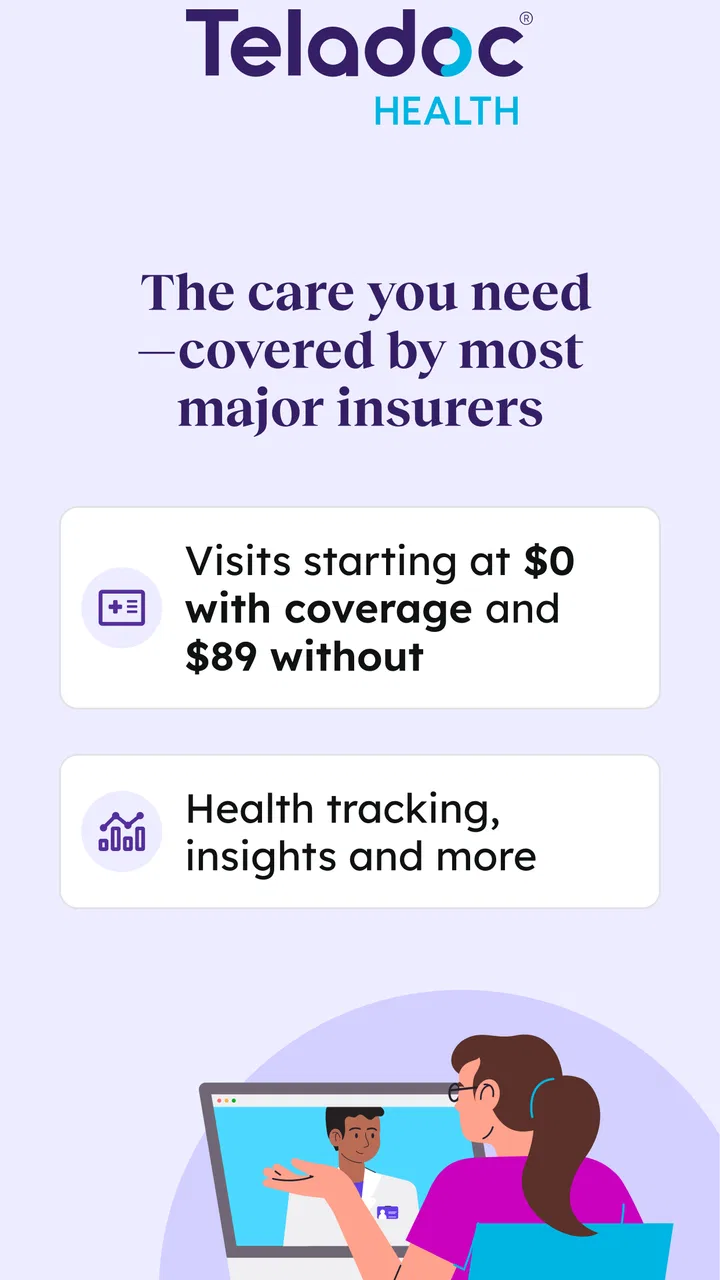
Coverage for Teladoc Health services depends on your insurance plan. Many insurance providers cover telemedicine visits, but it’s essential to check with your provider to understand your specific coverage and any potential out-of-pocket costs. The app also offers self-pay options if your insurance does not cover the service.
04Are the doctors on Teladoc Health qualified?
Yes, all doctors on Teladoc Health are board-certified and licensed in their respective fields. They undergo a rigorous credentialing process to ensure they meet high standards of care. This ensures that users receive professional and reliable medical advice and treatment through the platform.
05What types of medical issues can Teladoc Health address?
Teladoc Health can address a wide range of non-emergency medical issues including cold and flu symptoms, allergies, skin conditions, and mental health concerns. It’s important to note that while Teladoc is suitable for many conditions, it is not intended for emergencies that require immediate in-person attention.
Pros
- Easy to navigate interface.
- Access to a wide range of specialists.
- 24/7 availability for urgent care.
- Supports multiple languages.
- Secure and private consultations.
Cons
- Requires stable internet connection.
- May have long wait times during peak.
- Limited availability in some regions.
- No option for in-person visits.
- Subscription may be costly for some.

Teladoc Health
Gallery